
ErgoCom1.5 - Get APK
You'll be able to download in few seconds.
Publisher Description
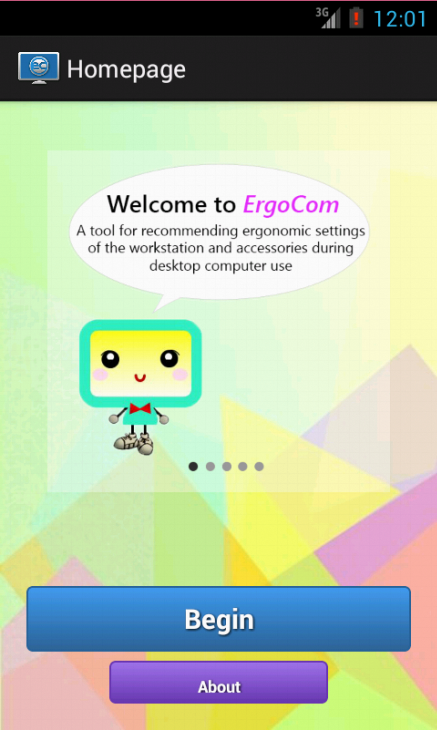
ErgoCom version 1.5
The ErgoCom App is intended to provide valid recommendations on the ergonomic settings of the workstation and accessories for any desktop computer user by taking into consideration the anthropometric data (or body dimensions) of the user and the workstation data. These recommended settings can help the computer user to work with the computer at the workstation with an appropriate work posture according to ergonomics principles; thus, reducing the risk of musculoskeletal disorders. ErgoCom utilizes a set of predictive formulas to estimates relevant body dimensions from the user’s body height, from which the ideal setting of workstation (i.e., monitor height, keyboard height, and seat height are computed. From the actual heights of monitor, keyboard, and seat, ErgoCom uses an adjustment algorithm to recommend appropriate settings of the workstation components. If necessary, it can recommend the use of accessories, e.g., seat cushion, footrest, and keyboard support, to help the user assume the ergonomic work posture.
Features
• Select a preferred language between English and Thai
• Compute the ergonomic settings of desktop computer workstation and necessary accessories for individual users
• Provide numerical recommendation for ease of adjustment
• Provide tips for ergonomic work posture and good work habits for prolonged desktop computer use
• Provide body stretching and exercise techniques to relax fatigued body parts
About ErgoCom
The company that develops ErgoCom is Suebsak Nanthavanij. The latest version released by its developer is 1.5.
To install ErgoCom on your Android device, just click the green Continue To App button above to start the installation process. The app is listed on our website since 2014-04-23 and was downloaded 0 times. We have already checked if the download link is safe, however for your own protection we recommend that you scan the downloaded app with your antivirus. Your antivirus may detect the ErgoCom as malware as malware if the download link to com.sn1301.ergocom is broken.
How to install ErgoCom on your Android device:
- Click on the Continue To App button on our website. This will redirect you to Google Play.
- Once the ErgoCom is shown in the Google Play listing of your Android device, you can start its download and installation. Tap on the Install button located below the search bar and to the right of the app icon.
- A pop-up window with the permissions required by ErgoCom will be shown. Click on Accept to continue the process.
- ErgoCom will be downloaded onto your device, displaying a progress. Once the download completes, the installation will start and you'll get a notification after the installation is finished.
Program Details
System requirements
Download information
Pricing
Version History
version 1.5
posted on 2014-04-23
- Minor bugs fixed,- Description of ergonomic is added
Disclaimer
External Download
We do not host ErgoCom on our servers. We did not scan it for viruses, adware, spyware or other type of malware. This app is hosted by Galad and passed their terms and conditions to be listed there. We recommend caution when installing it.
The APK Download link for ErgoCom is provided to you by apps112.com without any warranties, representations or guarantees of any kind, so access it at your own risk.
If you have questions regarding this particular app contact the publisher directly. For questions about the functionalities of apps112.com contact us.
